 “Every growing church needs this.”Josh Howerton · Lead Pastor, Lakepointe Church
 Engage by PastorCenter
The AI operating system for your churchKnow every person.
Make the right ask.
Engage scores every person in your church from 0 to 5, shows your team who needs care, and helps each person take their next step, right from the church management system you already run.
From $99/mo · priced by weekly attendance · unlimited users · 7-day free trial


Score. Care. Next step.
Three things, every day, for every person in your church.
- 01
Score everyone
Five signals from your church management system become a score from 0 to 5 for every person you have on file.
- 02
See who needs care
Each morning, Engage surfaces the people who need you: the new guest, the member drifting away, the volunteer near burnout.
- 03
Help them take a next step
Barnabas suggests the right step for each person, a group, a team, a coffee, and drafts the ask in your voice. You approve it, and their score moves.
Where do you want to start?
Every person gets a score out of 5.
Five measured signals, pulled straight from your church management system. People sort from 0/5, leaning out the door, to 5/5, fully plugged in. Your job is simple: move people left to right.
Attending
Are they actually showing up? A kid’s check-in counts for their parents, so families aren’t penalized.
Contact
Has anyone on your team connected with them in the last 90 days?
Group
Are they in a small group?
Serving
Are they on a team?
GivingOptional
Your church’s call, on or off. A simple yes or no, amounts never shown, and visible only to your giving admin.

- Syncs the moment something changes in your church management system, with a full refresh every morning.
- Search your whole directory and score anyone on the spot.
- Baptism and membership are tracked alongside the score, not inside it.
Eight next steps, built in.
Open anyone’s card and Engage lights up the steps that fit, based on what’s missing. Tap one and Barnabas checks the details, like life stage, campus, open seats, and the calendar, then drafts the ask.
Invite to a small group
Matched on life stage, campus, and open seats.
Recruit to a team
Pointed at teams that fit them and need people.
Connect for a coffee
A personal, low-pressure one-on-one.
Send the gifts test
Results point them to the right place to serve.
Invite to an event
Pulled from your church calendar.
Invite to membership
The next membership class or event.
Ask about baptism
Open the door to the conversation.
Share giving resources
Stewardship, zero pressure. Only if your church turns giving on.
Example: someone with no group, no team, and no contact in seven months sees these three first.
Then it actually gets done, three ways
You send it, then log it
Barnabas drafts the text or email in your voice. Send it from your own phone, then log it in ten seconds so the whole team sees they were cared for.
Through your church management system
Approve, and it goes back where your team already works: the follow-up assigned, the touch saved as a note on their profile. No double entry.
By text or email
Connect your texting tool and the message goes out as a real text, straight from Engage. Nothing sends without your approval.
Nobody falls through the cracks.
Growing churches don’t lose people on purpose. They lose them in the gaps between staff, spreadsheets, and good intentions. Engage watches the gaps.
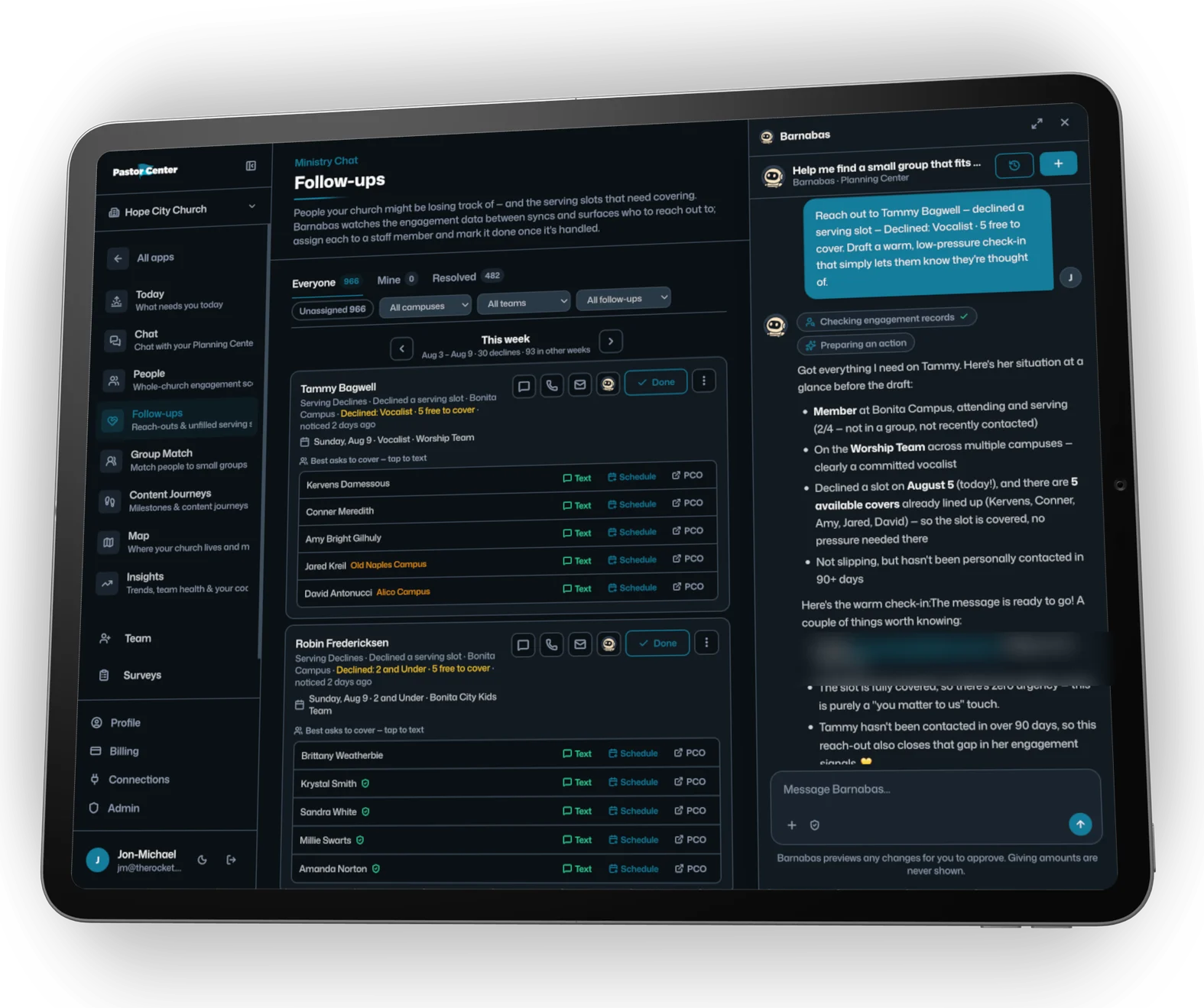
- A morning brief for every leaderOne short list of the people who need you most, sorted so the most urgent is first, across every campus.
- Care requests that don’t get lostCare and prayer requests that never got a follow-up surface again, with the context your team needs to reach out.
- Drift caught earlyFour straight declines after two years of never missing. A family that stopped checking in. You’ll see it before they’re gone.
- Follow-ups with an ownerAssign it, add a to-do, mark it done. Every touch logs to their profile, so nobody calls the same person twice and nobody gets missed.
Nothing sends without your approval.
Fill the gaps before Sunday.
Engage reads your serving schedule in Planning Center or your ChMS. When someone declines or a slot sits empty, it lines up the right people to ask, and it watches for the volunteers carrying too much.
- Declines, coveredQualified team members who are free that date and not already serving, ready to ask.
- Requests from Planning Center or your ChMSApprove, and the scheduling requests go out from the system your team already works in.
- Burnout flagsSomeone on six of seven weekends, or a faithful volunteer suddenly declining. You’ll know, with a note drafted.
- Your bench, askedPeople who used to serve, and people who never have but should, surface with the context to make the ask.
Best people to ask
Ask Barnabas anything about your church.
Ministry Chat is where your staff talks to Barnabas, the pastoral partner inside Engage. Ask in plain English. It reads your church management system, answers with real people, and drafts the next step.

Steve asks about Becky’s dad himself.
Engage caught the care request, found the group, and made the introduction before he sat down. Phil joined Dave’s group three weeks later.
Engage does the work. The pastor makes the ask.
Works with the software you already run.
Keep your stack. Engage connects to your church management, texting, and giving tools — and writes approved follow-ups back where your team already works.
Church management
Your people, groups, serving teams, and attendance — the signals behind every engagement score.
 Live
Live Live in October
 Live in October
 CCBNow part of PushpayLive
 On the roadmap
Texting & email
How an approved message actually reaches a person — from the tools your congregation already hears from.
 Live
Live Live
Live Live in October
 Live in October
 On the roadmap
Giving
Giving is one of the five engagement signals — optional, and visible only to the giving admins you designate.
GivingLive Live in October
 Live in October
 Live in October
 Live
LiveSee it in action.
See your church the way Engage sees it.
Engagement climbs. Care keeps up.
Day one, everyone gets a score. Every week after, the right people get a personal ask — and your church moves left to right on the 0-to-5 scale.
- Week 1Everyone scoredFive signals from your church management system, 0 to 5.
- Month 1Follow-up every weekNext steps ready to review and send — nobody sits in a pile.
- Month 3Drift caught earlyThe people pulling away surface before they’re gone.
- Month 6People move rightMore of your church at 4 and 5 out of 5.
- Month 12A church where people are knownCare that doesn’t depend on who remembered.
Illustrative — every church moves at its own pace.
One safe place for your church’s data.
Your data stays yours. It’s never used to train AI models, ours or anyone else’s.
- Your admin decides who sees whatCampus by campus, role by role. Giving is visible only to your giving admin.
- Everything is loggedEvery question asked and every message sent, so you always know what happened and who did it.
- Nothing sends until you flip one switchOne master switch controls every channel. Leave it off, click around, and learn the whole system with zero risk.
Live in minutes, not months.
No 90-day onboarding and no switching platforms.
- Connect your church management systemSign in once. People, services, groups, and check-ins sync in minutes.
- Add your teamEvery staff member gets their own login with role-based views. Unlimited users.
- Open today’s briefBuilt to be picked up, not trained into.
Big staff? We’ll run the integration and training with your whole team, over Zoom or on site.
Which plan is
right for you?
One price for your whole church, by average weekly attendance — every staff member included, no per-seat math, no setup fee to start.
Billed monthly. 7-day free trial; we email you 2 days before the first charge.EngageBy average weekly attendance · unlimited users
Frequently asked questions
View all FAQs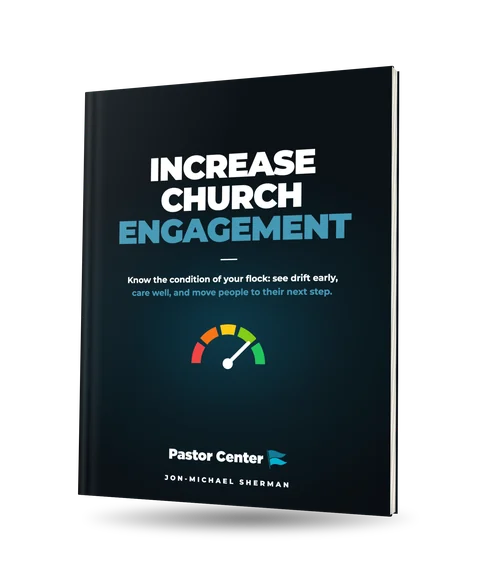
Increase Church Engagement
Know the condition of your flock: see drift early, care well, and move people to their next step. The method behind Engage, written out for connections, care and executive pastors.
Get the free book →
Care for Your Church
Answer every need fast, notice who’s drifting, and make sure no one leaves unknown. The pastoral care system behind the Care tab, written out for care pastors and their teams.
Get the free book →Nobody falls
through the cracks.
Try Engage free for 7 days. From $99/mo for churches up to 200 — we email you 2 days before the first charge.
“As a church grows, caring for people gets more complicated. PastorCenter helps leaders see who is getting connected, who is drifting, and who may need someone to reach out.”Josh Howerton · Lead Pastor, Lakepointe Church
